Workflow-based User Lifecycle Management for Moodle
Niels Gandraß
mail Niels.Gandrass@haw-hamburg.de
globe https://gandrass.de
Moodle Moot DACH 2026
Swiss Federal Institute of Technology Zurich
2026-07-02
Motivation
Why and when do we even want to get rid of users and other content?
gavel Legal construction Technical apartment Organizational
Legal requirements
Let's get trough the boring stuff first ... (1/3)
We need to remove old user records and other personally
identifiable information (PII) from our systems
without undue delay
Legal requirements
Let's get trough the boring stuff first ... (2/3)
Students deleted from the university IDM must be deleted
from Moodle without undue delay
Legal requirements
Let's get trough the boring stuff first ... (3/3)
Students can't simply request the deletion of exam data or grades.
Deletion can't be a fully automated self-service.
You survived the boring part!
In case you missed the confetti at the MoodleMoot DACH 2025 DevCamp
Technical & Organizational aspects
moodledata/ folder is only getting bigger
Our Current
User Lifecycle(s)
How users get on and off our Moodle platforms
Different platforms, different user lifecycles
We run a number of Moodle platforms with diverging user management
|
University Moodles
|
Public Moodle

|
University Moodle
The simple and straight forward case


Public Moodle
The "slightly" more complicated case ...




Key takeaways
User Lifecycles
as Workflows
Using multi-step flowcharts to model the full lifecycle of a group of users in Moodle
The workflow approach
Users progress through different user-defined workflows,
similar to what is known from the Course Life Cycle Plugin
|
more_horiz
More workflows |


|
more_horiz
More workflows |
Moodle Plugin:
User Lifecycle Management
The Automatic User Deletion plugin grew into a fully-fledged workflow management engine.
Key features
|
auto_transmission
Automatically manages users based on flexible workflows
filter_alt
Extensive criteria for selection / filtering users
settings_account_box
Various actions to perform on user accounts
security
GDPR-compliant deletion of users data
science
Dry-run mode for verifying the configuration
monitoring
Action log to audit performed actions
construction
Highly configurable (time thresholds, auth method, ...)
dynamic_form
Dynamic variables (e.g., user names) in email templates
|
 Moodle Plugin: Automatic User Lifecycle Management (tool_userautodelete) |
Filters and actions
User filters and actions are lightweight and flexible sub-plugins
| Filters | Actions |
|
web_traffic
Last access
passkey
Auth method
date_range Date range timer Time delay groups Cohort approval_delegation Role assignment account_circle_off Suspension state |
account_circle_off
Suspend
account_circle
Unsuspend
mail Send Mail delete Delete security Anonymize |
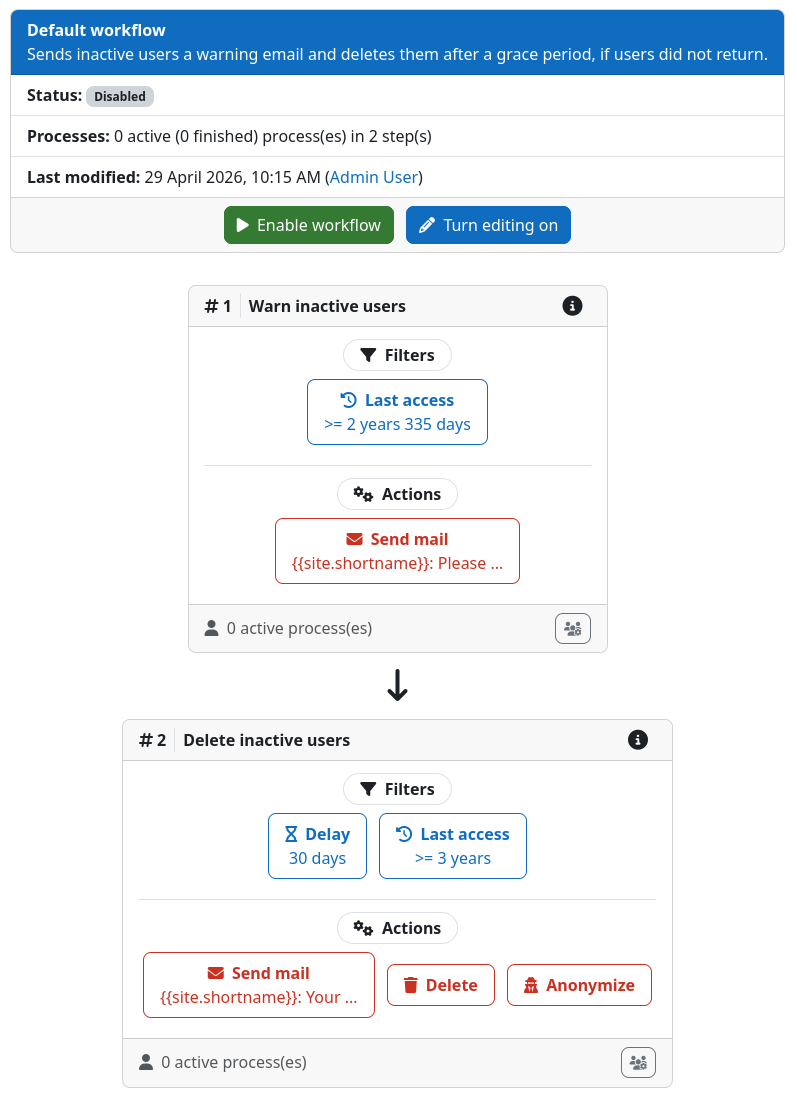
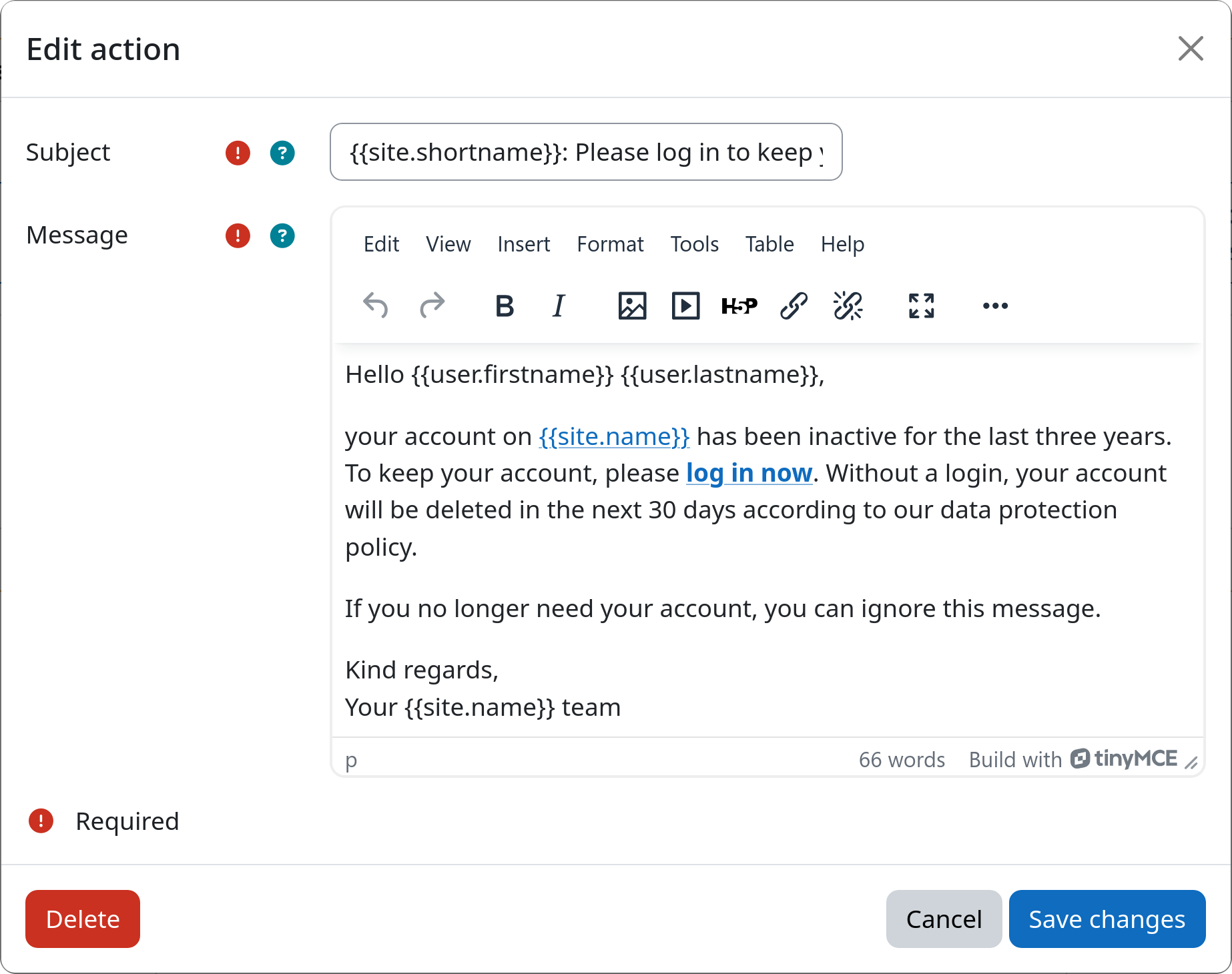
Example workflow
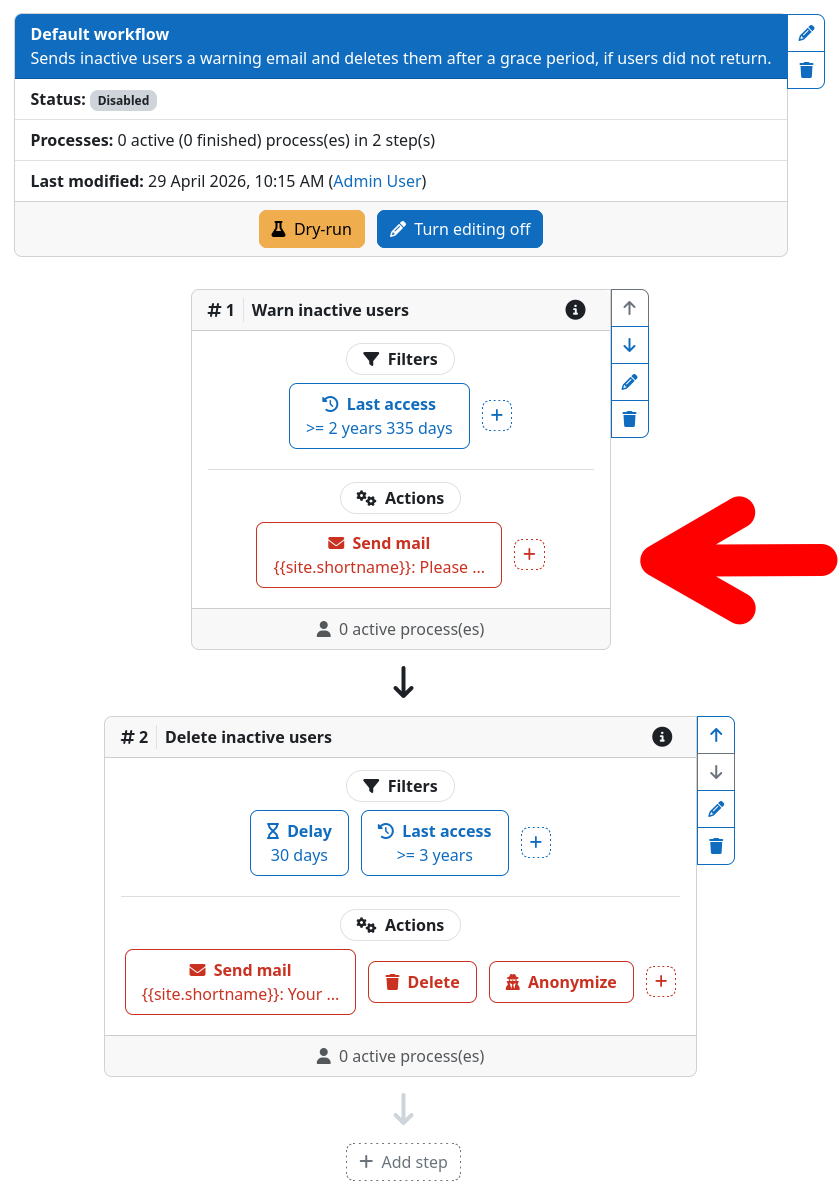
Example workflow (edit mode)
|
|
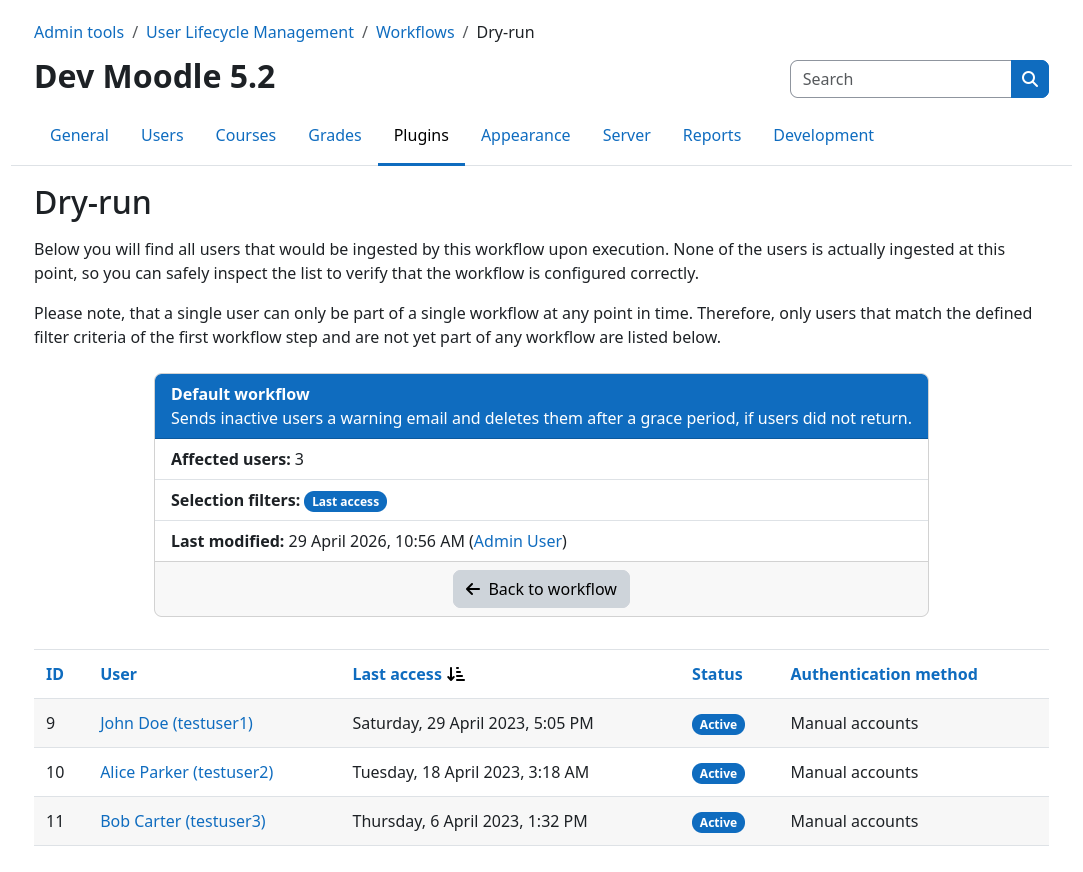
Dry-run
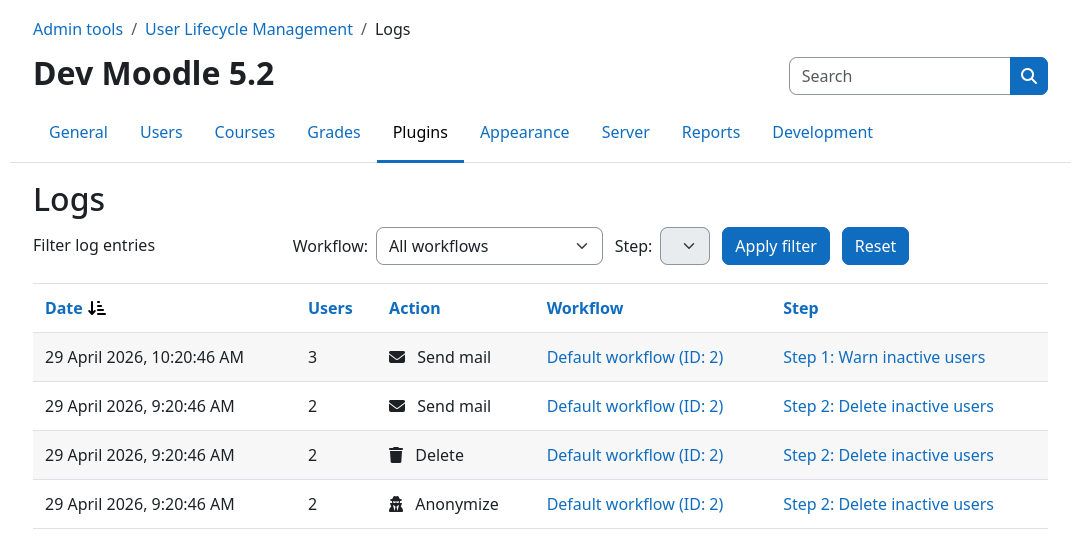
Action logs
All actions performed by the plugin are logged in a cumulative fashion.
Specific workflows, steps, and actions can be identified, filtered for, and sorted by.
GDPR-compliant user deletion
Removing the remaining personally identifiable information (PII) after Moodle "deleted" a user
|
arrow_right_alt
Delete user |
|
arrow_right_alt
Remove PII |
|
Upgrading from the automatic user delete plugin (v1)
deployed_code_update
Existing v1.x.x installations can be upgraded to v2.x.x in-place
All previous settings will be reflected by the new workflows filters and actions
You can find all migration details here:
https://moodleuserlifecycle.gandrass.de/changelog/#migrating-from-v1-to-v2
Modeling
Institution-specific Use-cases
Leveraging the workflow engine to support your institutions lifecycles
Using filters, actions, and multiple workflows
You got various user groups that require different lifecycles? We got you covered!
Creating custom filters and user actions
All filters and user actions are small yet flexible sub-plugins and
can therefore easily be extended according to your specific needs
 |
 https://moodleuserlifecycle.gandrass.de/dev |
 |
You can find detailed instructions on implementing your own sub-plugins
within the developer documentation!
Contributing
You created something that could help others? Wonderful!
Please feel free to submit a pull request or open an issue over on GitHub
Contributing
You created something that could help others? Wonderful!
Please feel free to submit a pull request or open an issue over on GitHub
Thank you!
Quickstart and Resources
I got you hooked and you would like to start exploring the plugin? Nice!
Quickstart
You can find a quick guide on how to install the plugin and
get started with your first workflow in the comprehensive online documentation
Getting the plugin
The user lifecycle management plugin is available on GitHub
and via the Moodle Plugin directory!
 https://marketplace.moodle.com/plugins/tool_userautodelete |
 https://github.com/ngandrass/moodle-tool_userautodelete |
Q&A Session
Now it's time for your questions!

You can find all slides of this talk at
globe https://gandrass.de