Imagine it's 2029
A student misses some score for final graduation
and contests the grade of an exam from the winter term 2026/27
Can you prove exactly what was answered
and how it was graded?
Let's have a look into our Moodle!
Moodle is a learning platform, not an archive system
How do we archive today?
A real archive must be ...
|
inventory_2
Complete
Everything that was graded: answers, attachments, feedback, metadata Assignment, Quiz, ... |
verified
Trustworthy
Identical to exam and provably unaltered since the time of archiving SHA256 & TSP |
visibility
Independent
Readable for 10+ years, without requiring an ancient Moodle instance PDF/A, HTML & ZIP |
security
Compliant
Kept safe according to legal requirements but deleted once the period is over Policies & GDPR |
… and all of that without constantly having to worry about it!
From Quiz Archiver to the
Archiving Subsystem
Similar but tackling the bigger picture!
The journey so far
How we actually got where we are today ...
What's new
All compatible features we developed in the last year also landed in the Quiz Archiver
|
picture_as_pdf PDF/A-3b compliant reports
speed Parallel archive job processing
filter_alt Latest attempts only exports
function MathJax 4 & JACK questions
tune More report options
sell Question ID, version, tags, ...
|
folder_zip Archive structure customization
badge New filename variables
update Live job status updates
cloud_upload Chunked uploads
change_circle Moodle 5.3+ (LTS) support
engineering Moodle Archiving Worker
|
Quiz Archiver vs. Archiving Subsystem
Everything Quiz Archiver can do ... and a lot more
| Quiz Archiver | Archiving Subsystem | |
|---|---|---|
| description PDF/A report generation | ✓ | ✓ (same worker service) |
| folder_zip ZIP Archive creation with attachments | ✓ | ✓ (same worker service) |
| security Checksums, TSP signing, job policies, ... | ✓ | ✓ |
| dashboard Scope | Single quiz | Course-wide overview of all activities |
| school Activities | Quiz | Quiz, Assignment, ... Extendable |
| bolt Triggers | Manual | Manual, Scheduled, Event-based, ... Extendable |
| database Storage | Moodle | Moodle, Local directory, SMB, NFS, S3, ... Extendable |
| hub Integration | – | Flexible API Extendable |
Walkthrough
Archiving an activity with the new Archiving Subsystem
Where to find it
Each course gets its own archiving overview
accessible via More → Archiving
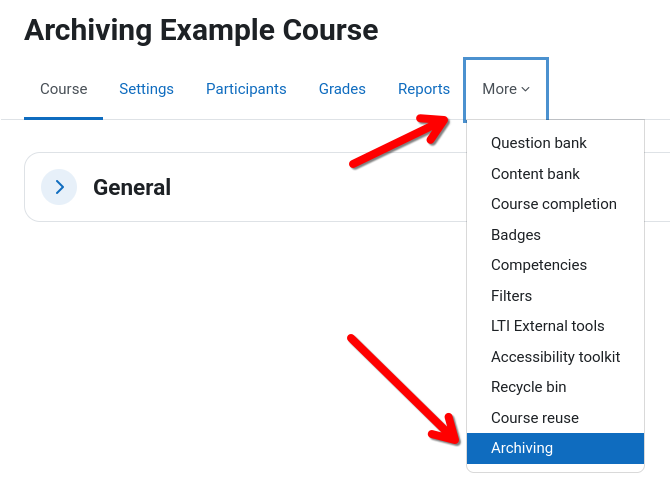
Course archiving overview
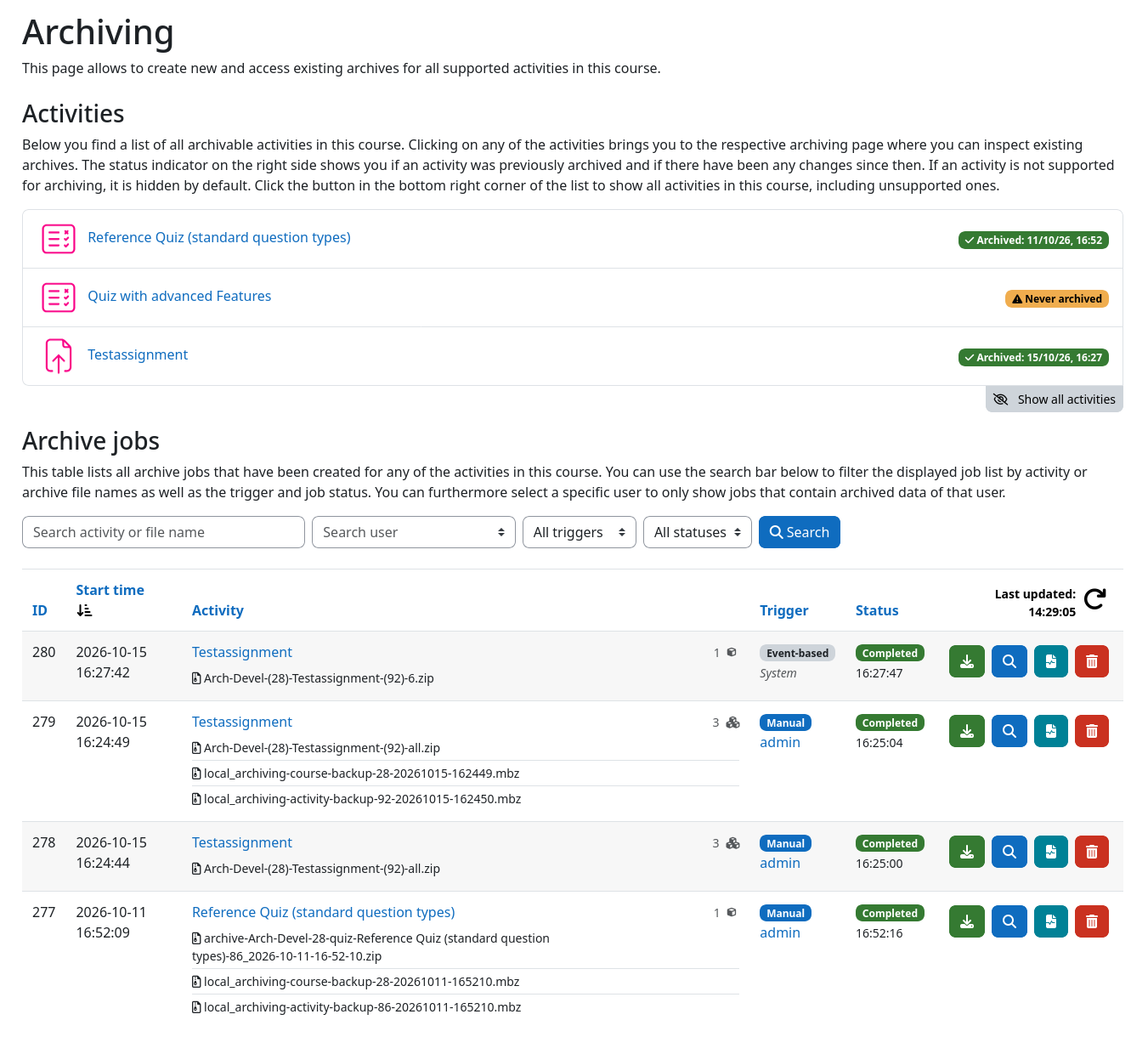
|
widgets Lists all activities in the course
label Archiving status per activity
history Detects changes since last archive
list_alt Lists all created archive jobs person Shows who / what created a job
touch_app Access files, details, and logs
search Search by activity or file name filter_alt Filter by trigger or status
article_person Find archives with target user data
|
Creating an archive
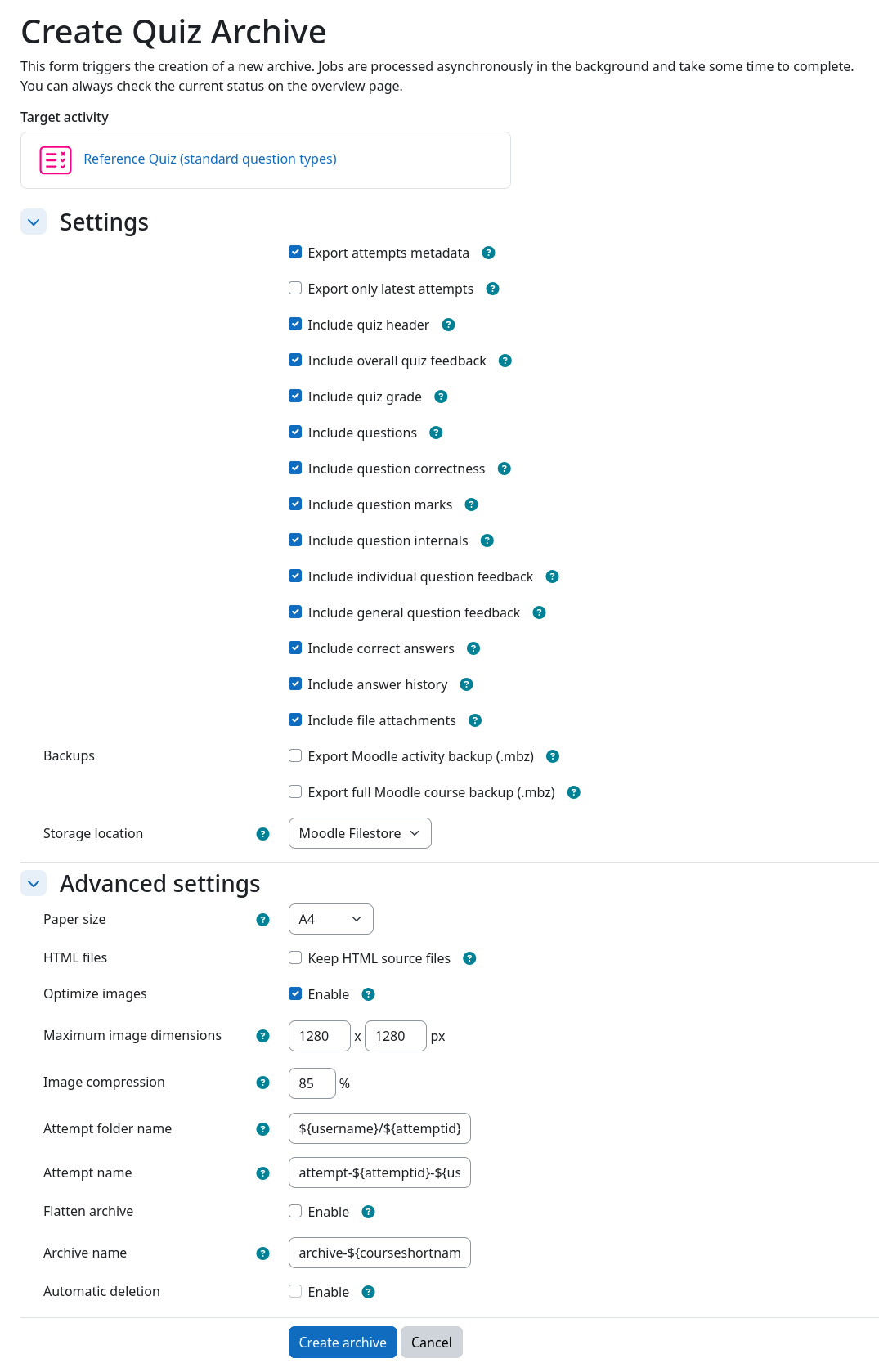
|
checklist Select what to export
chevron_right Example solutions, attachments, backups, ...
home_storage Choose storage location
chevron_right Moodle, local directory, network storage, ...
text_fields Configurable file names
chevron_right
attempt-${attemptid}-${username}
dynamic_form Customize your archive
chevron_right Additional files, compression, directory layout, ...
auto_delete Retention time
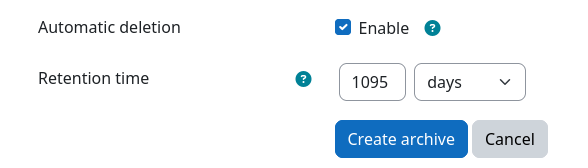 |
What's inside: Quizzes
Every attempt as PDF/A – rendered exactly as seen in Moodle
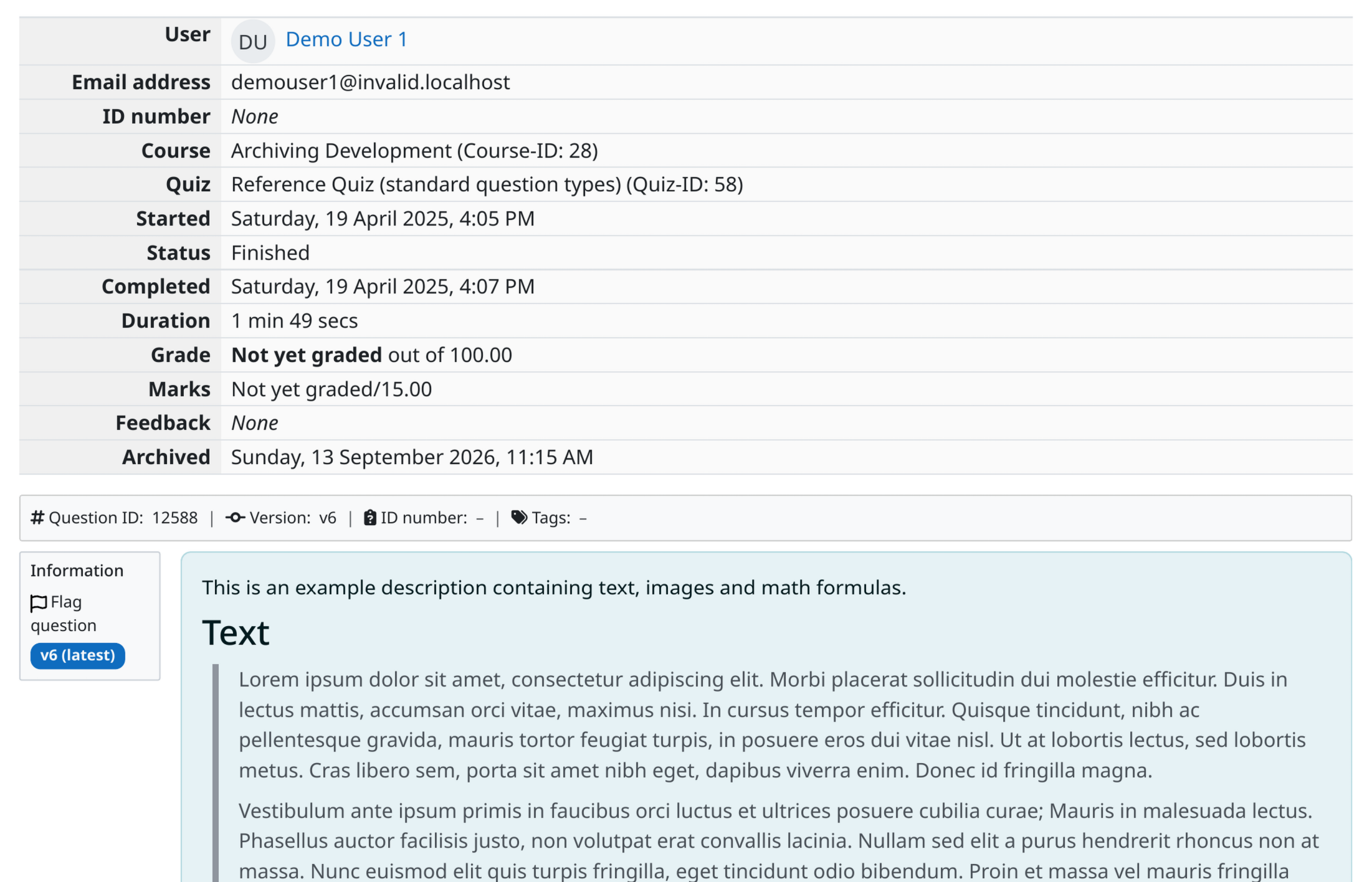
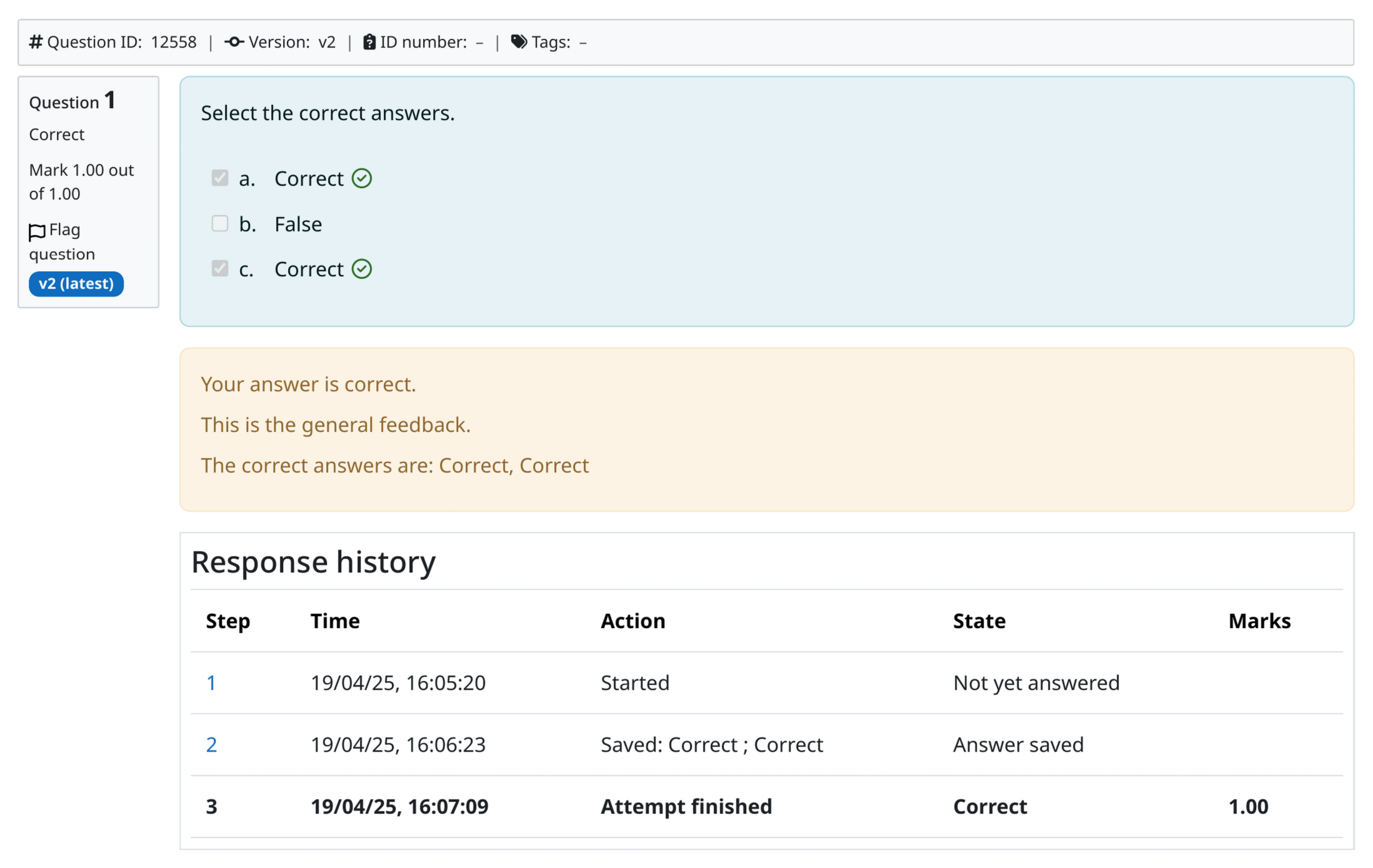
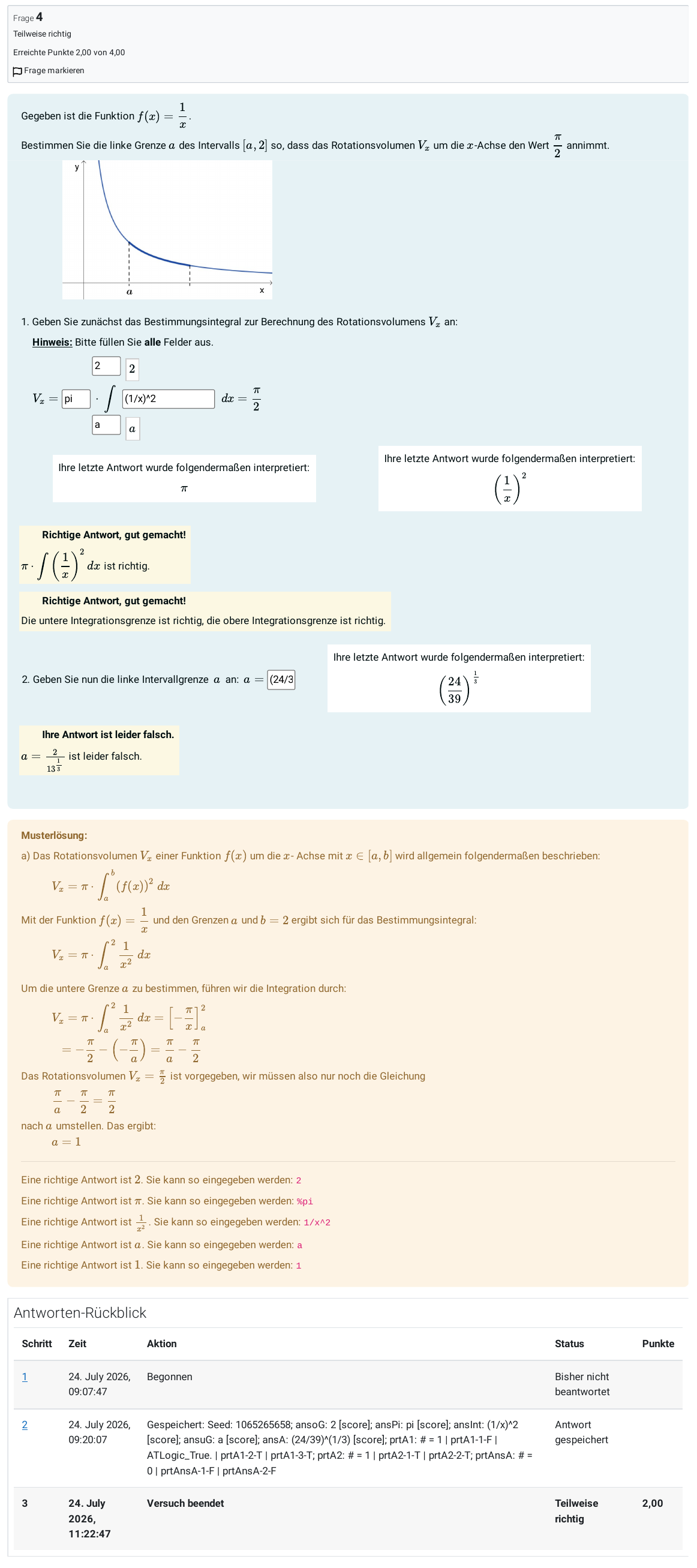
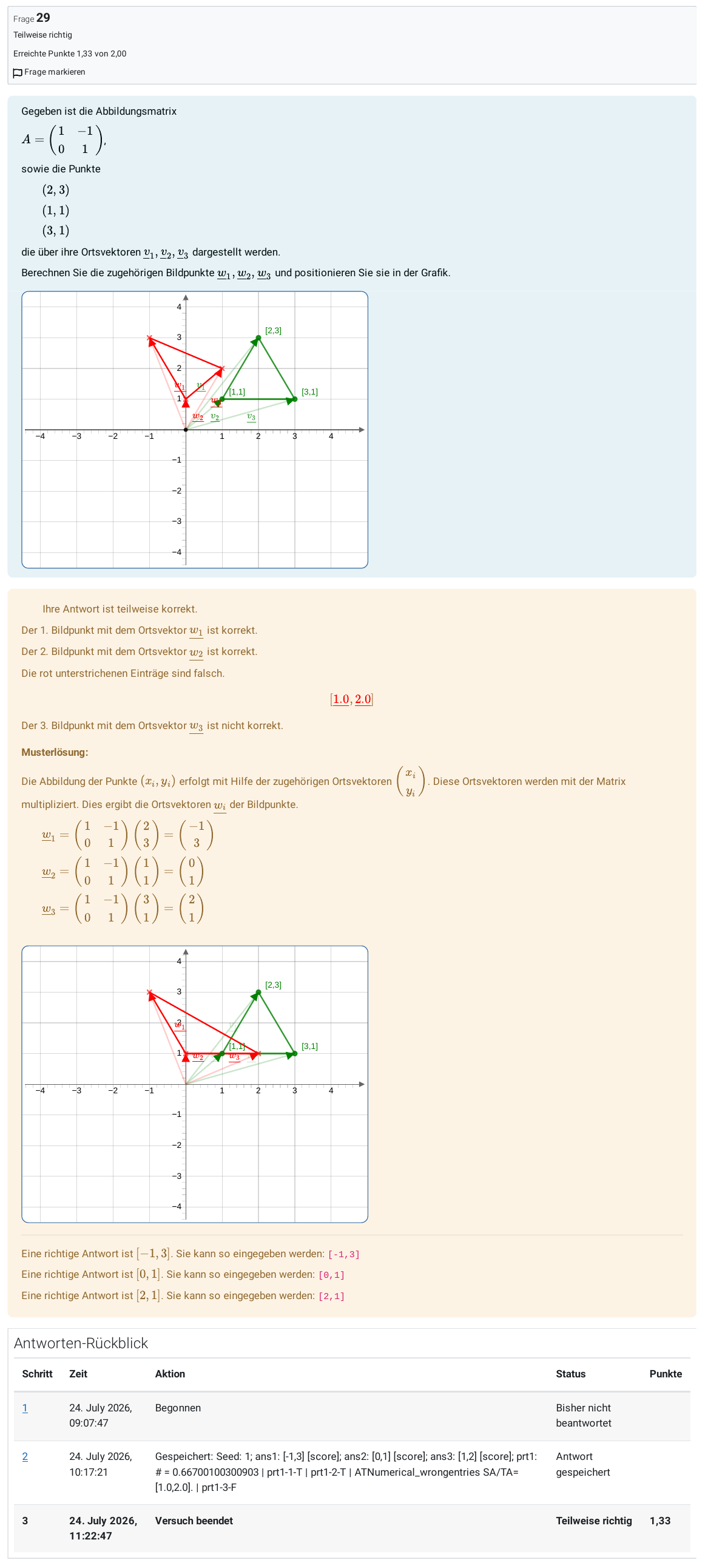
What's inside: Assignments
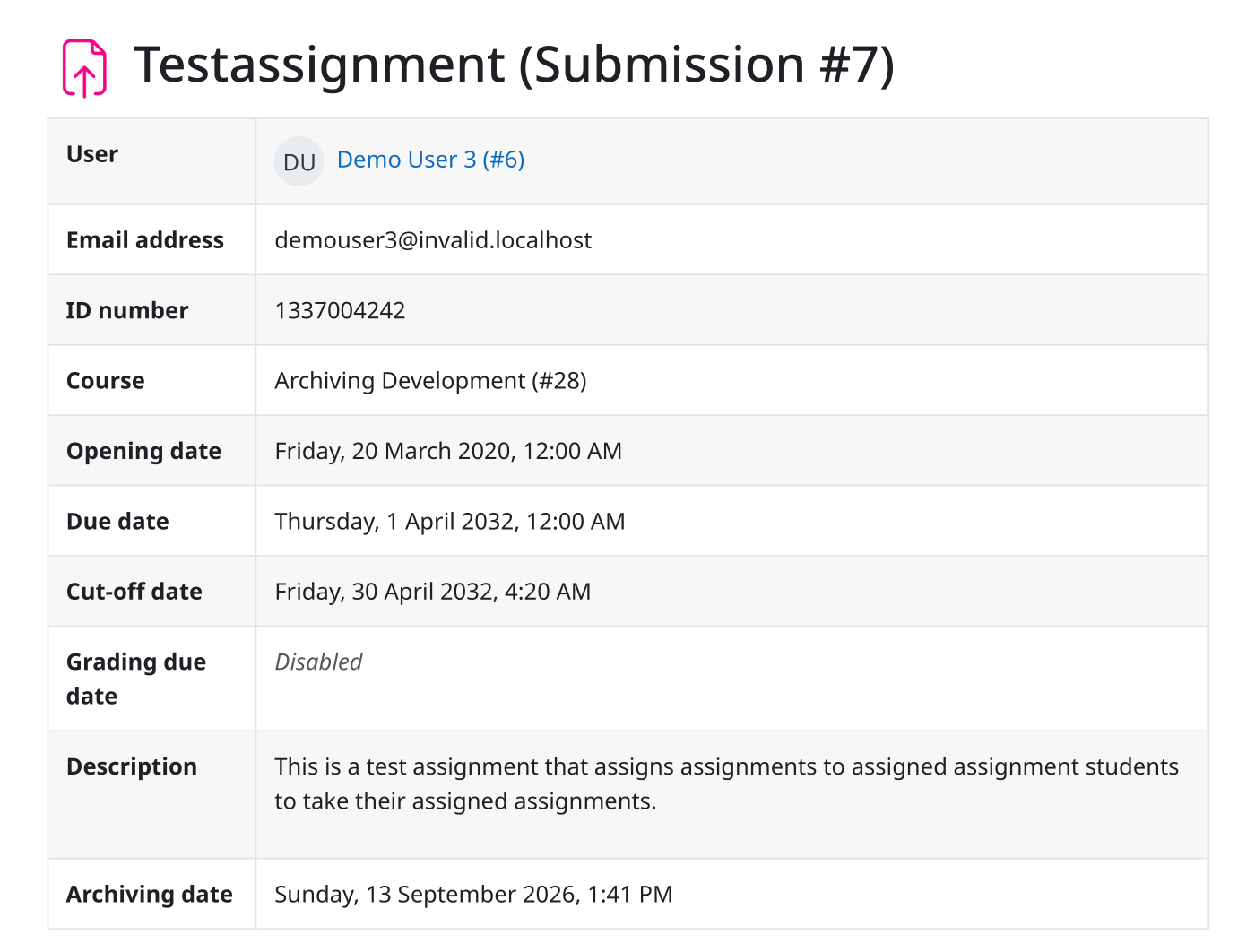
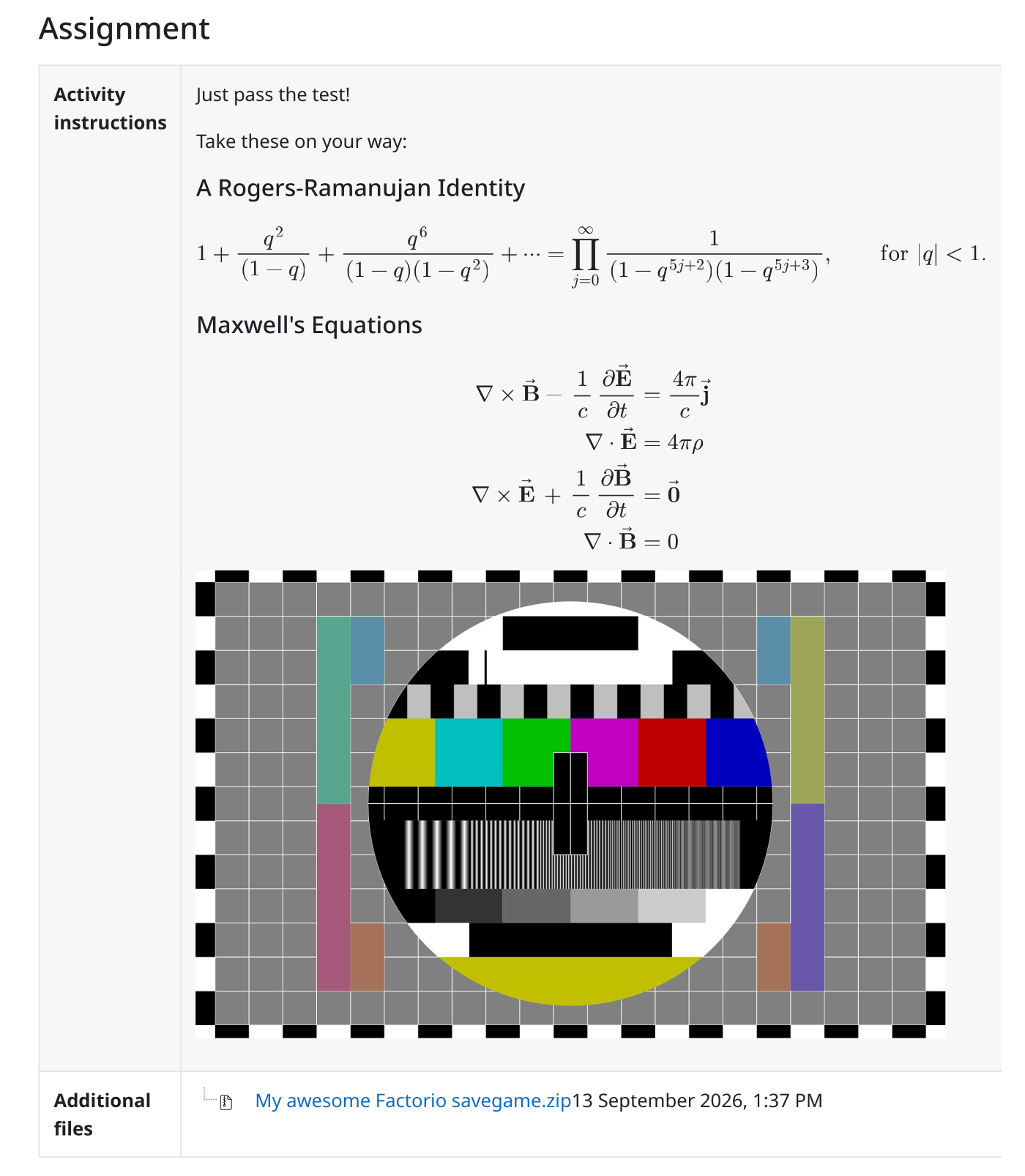
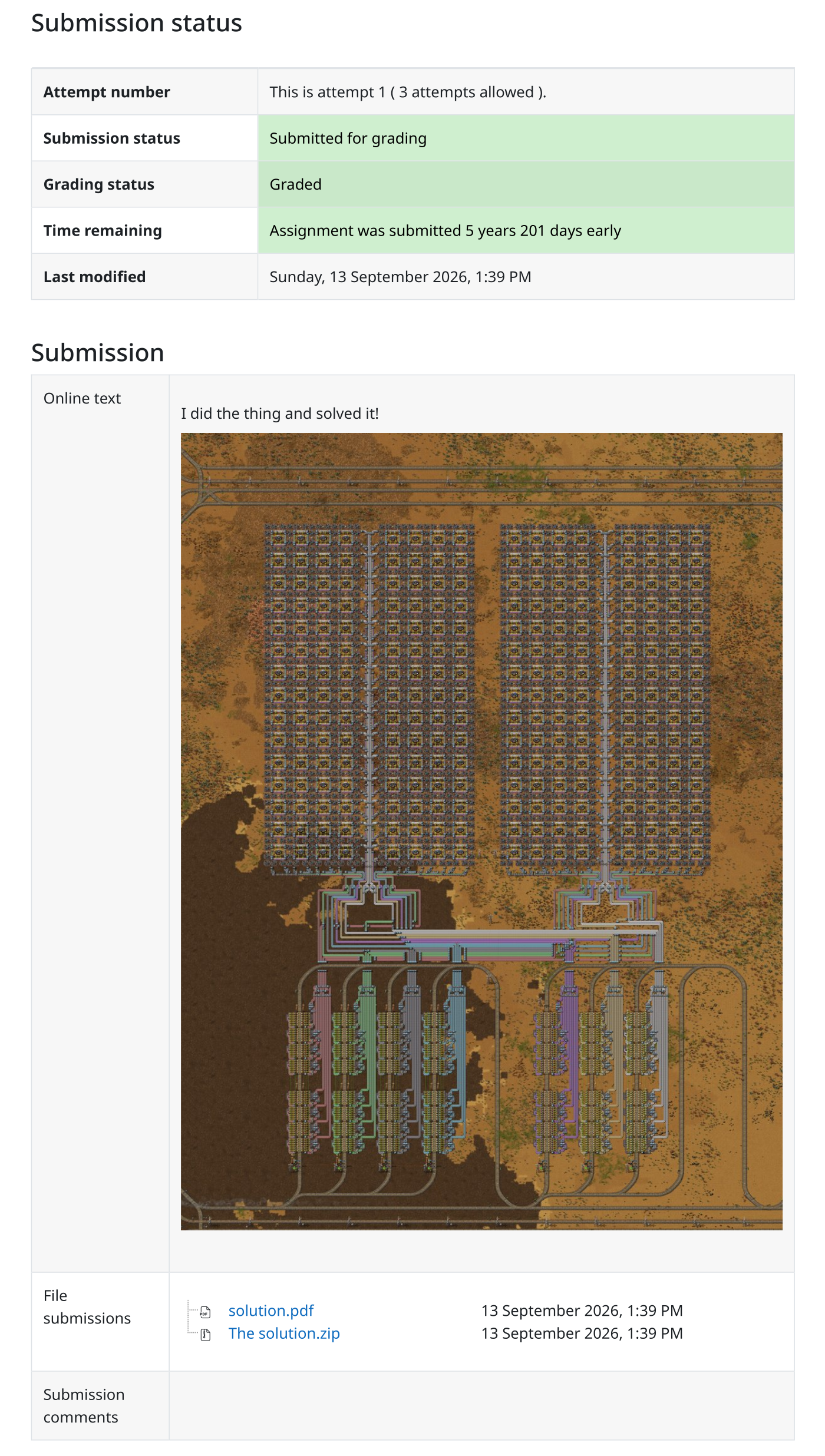
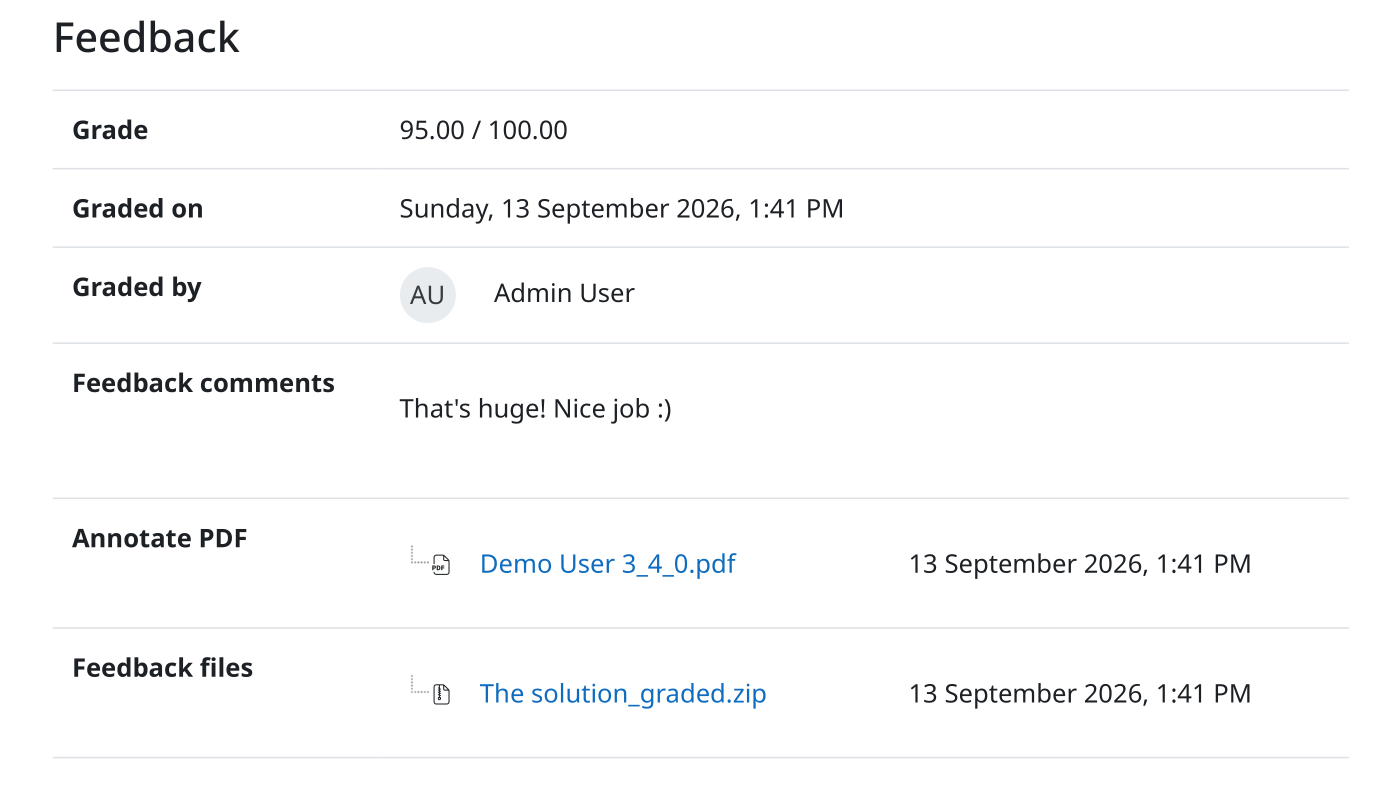
PDF/A Report, instructions, submissions, feedback, and annotated PDFs per submission
File attachments
Archive structure
Example: Hierarchical archive of an assignment
|
picture_as_pdf PDF/A-3b for long-term archiving
attach_file All file attachments
html Optional HTML sources
restore Optional Moodle backups (
.mbz)table CSV metadata for all objects
tag SHA256 checksum for every file
account_tree Hierarchical or flat layout
function File and folder names configurable
|
Archive job details
Inspect archive job metadata and see what's inside
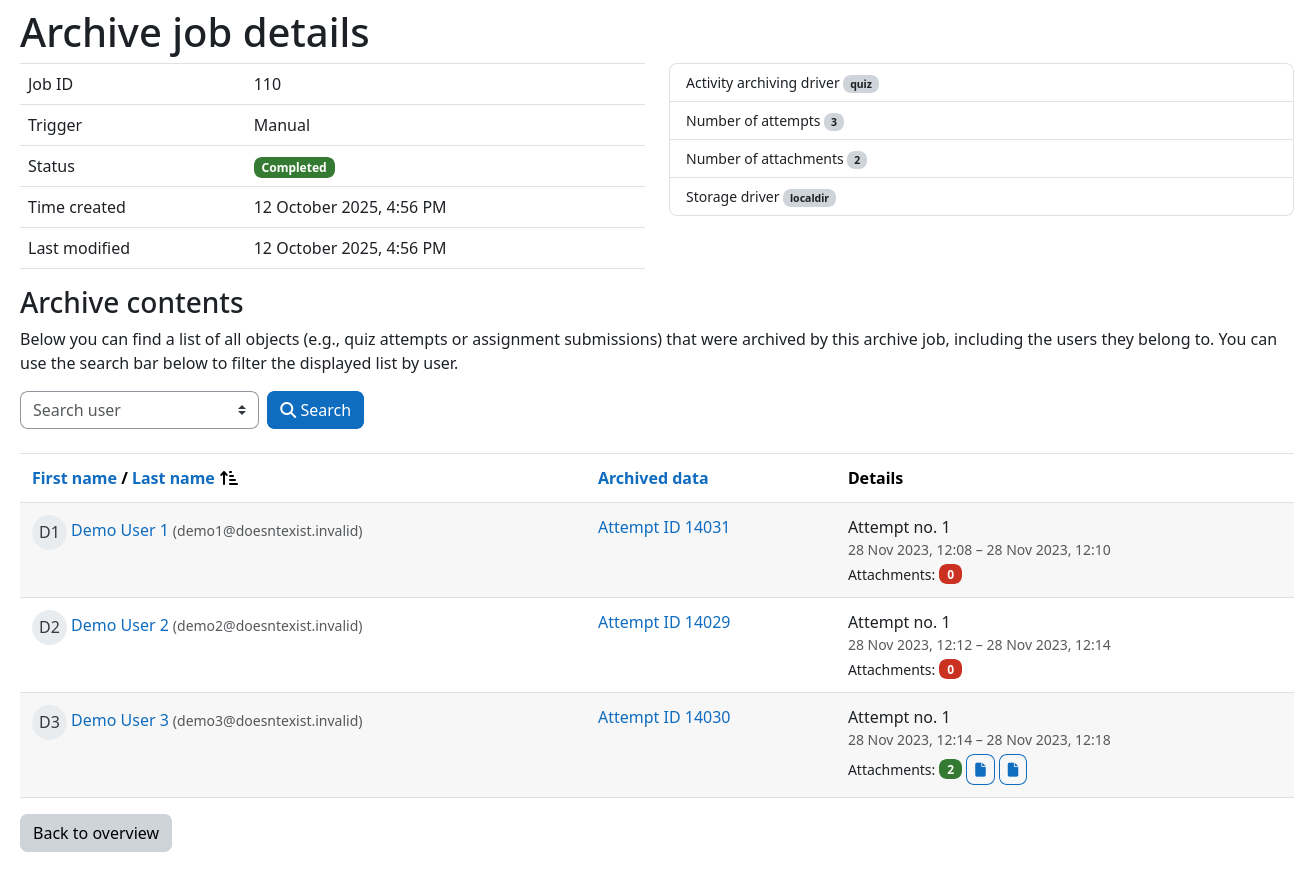
person_search All users with data inside this archive are searchable
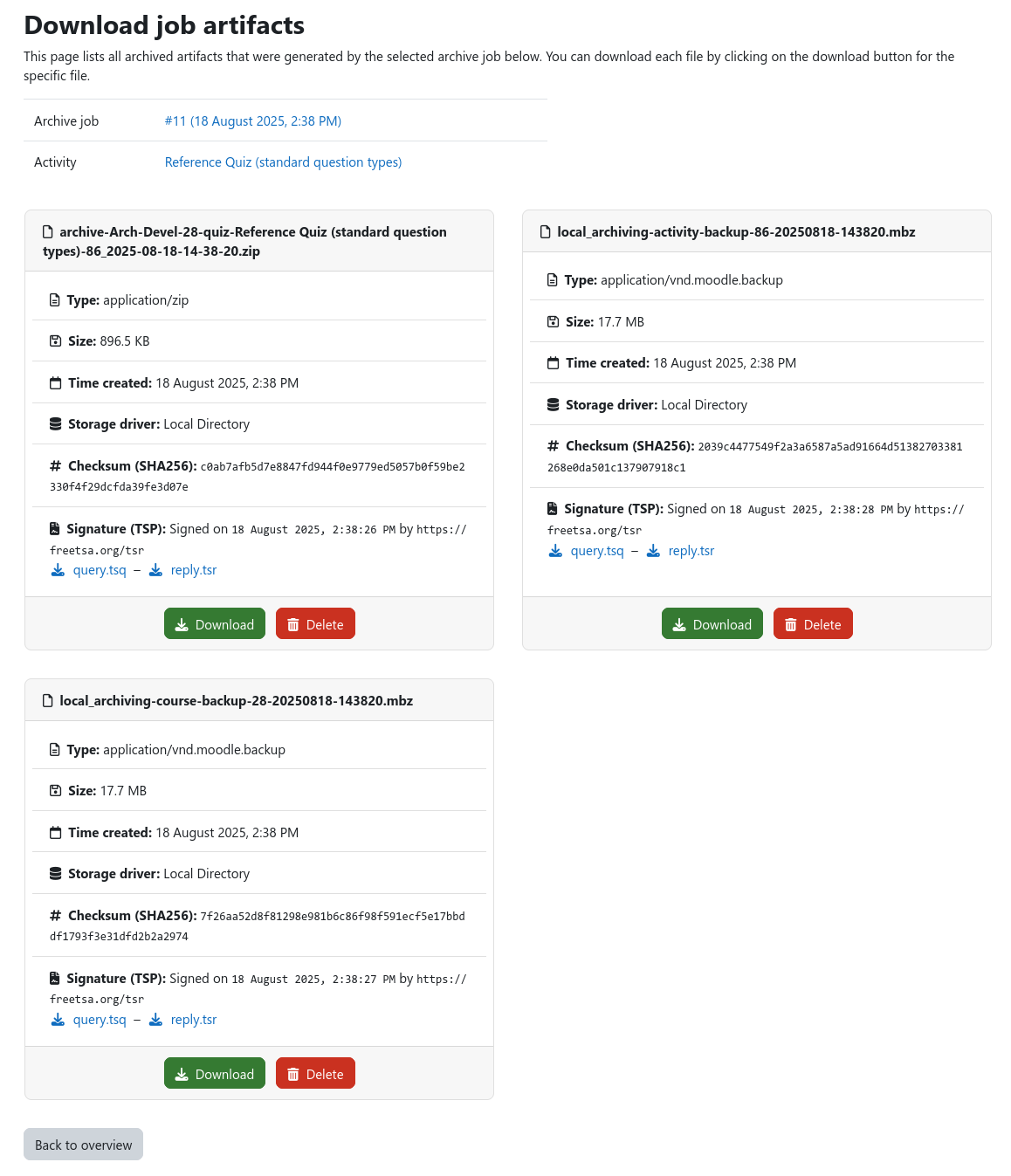
File download & integrity
|
cloud_download Easy access via Moodle
chevron_right Transparent file retrieval for all storage types
tag SHA256 checksums of every archive
chevron_right Verifies integrity of archived data
chevron_right Re-validated on every retrieval
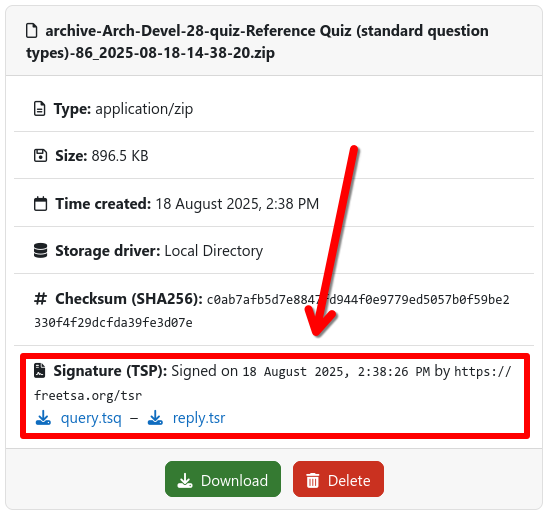
verified Cryptographic signature (TSP / RFC 3161)
chevron_right Signed by a trusted Time-Stamp Authority
chevron_right Legally proves the archive existed unaltered at that time
|
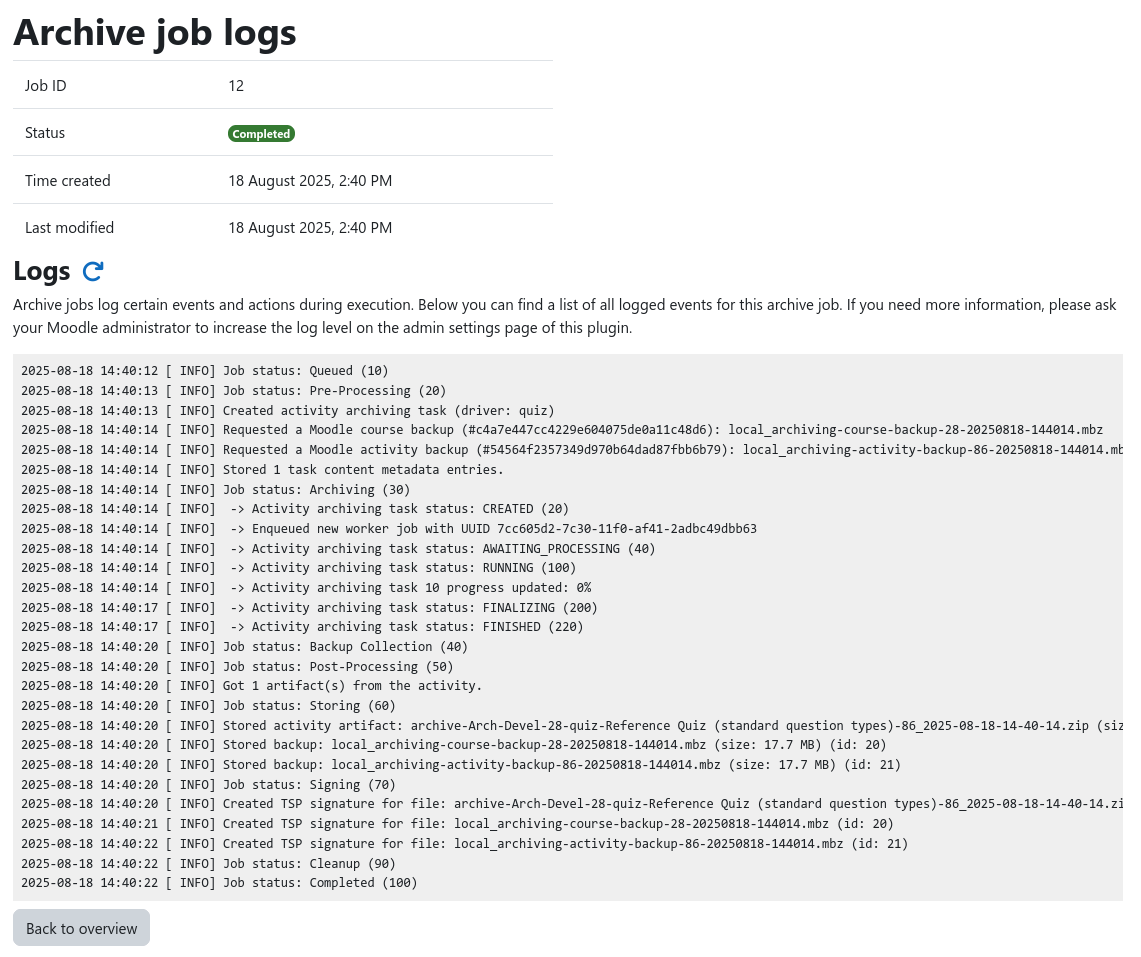
Job logs
Every step of every job is logged for full traceability
Automatic deletion
Automation
Because nobody wants to click the "archive" button a thousand times
Archiving triggers
Archive jobs can be created in one of the following ways ...
|
touch_app
Manual
|
calendar_clock
Scheduled
|
bolt
Event-based
|
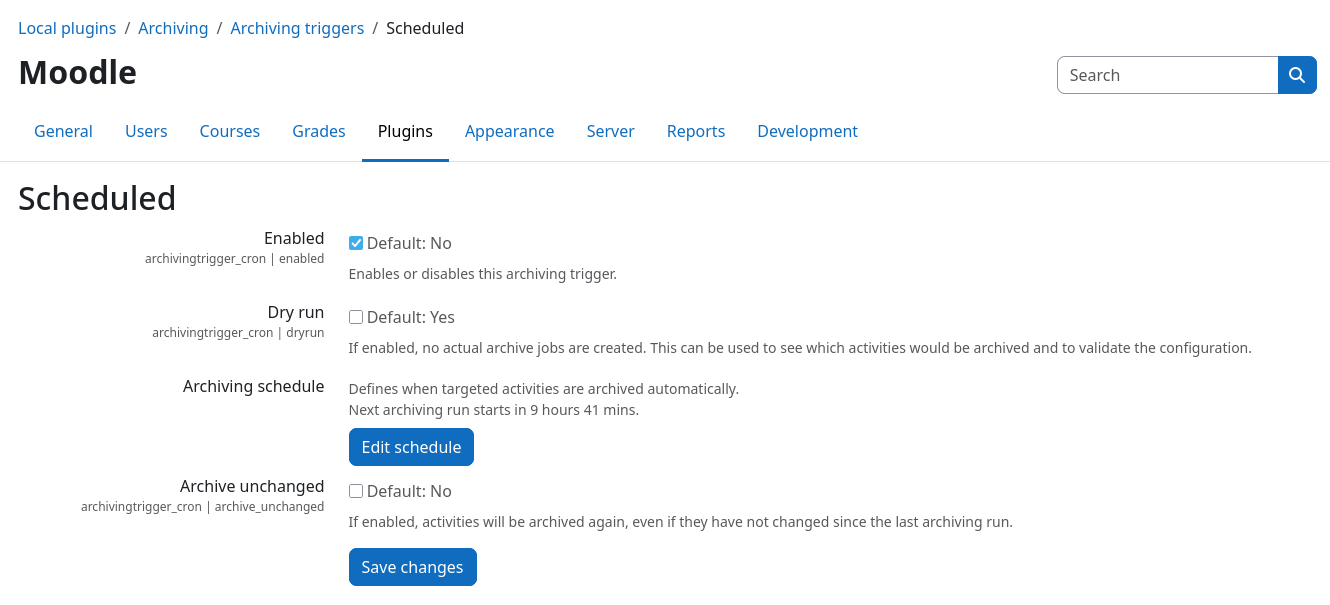
Scheduled archiving
Event-based archiving
Admins select which Moodle events create archive jobs
| Activity | Event | Archives |
|---|---|---|
| list_alt Quiz | \mod_quiz\event\attempt_submitted |
The affected attempt |
\mod_quiz\event\attempt_graded (Moodle 5.0+) | ||
\mod_quiz\event\attempt_regraded | ||
\mod_quiz\event\attempt_manual_grading_completed | ||
| file_upload Assignment | \mod_assign\event\assessable_submitted |
The affected submission |
\mod_assign\event\submission_graded | ||
\mod_assign\event\submission_locked |
Under the hood
Administration & Policies
Ensure archives meet your institutional requirements
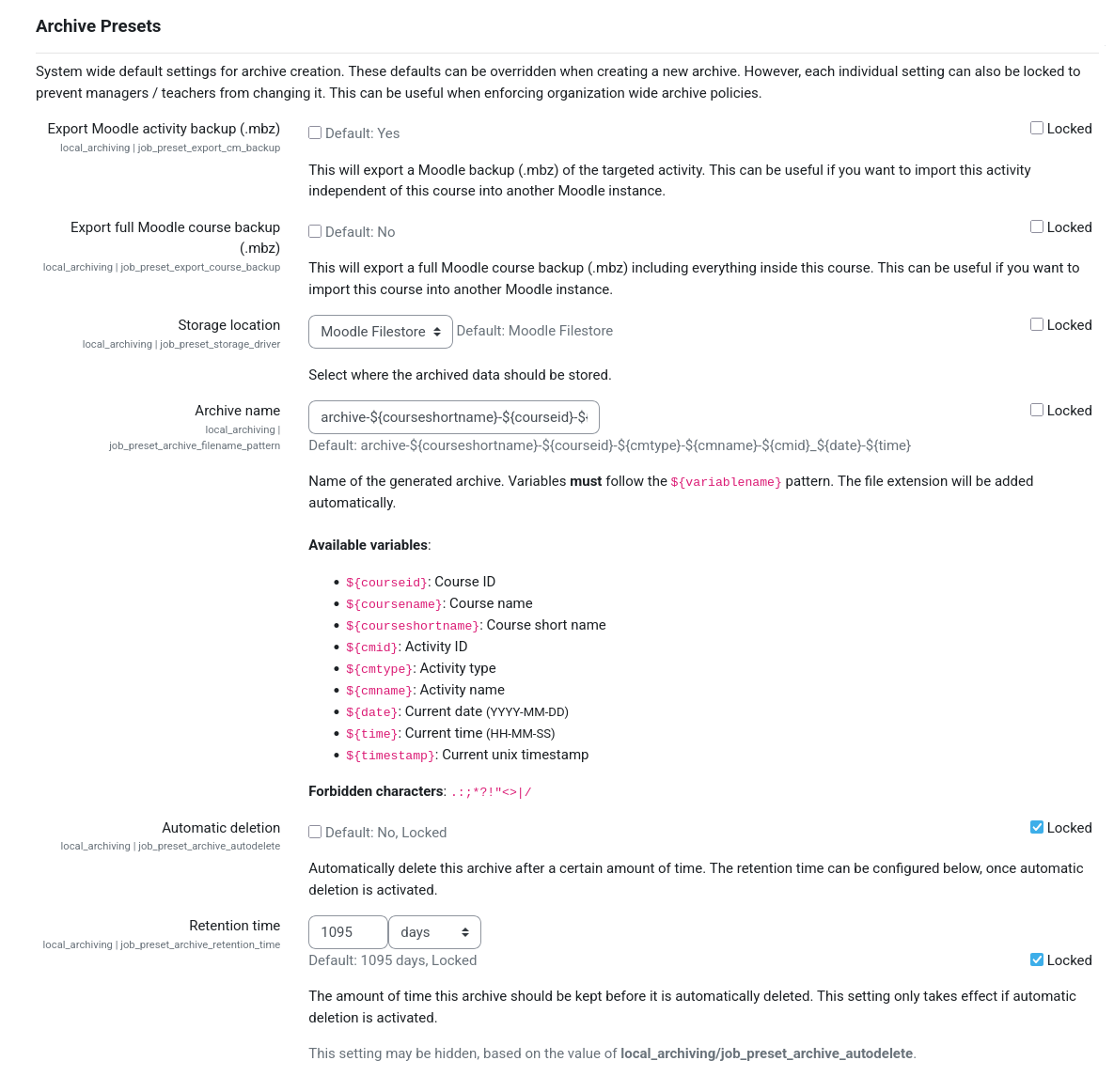
Job presets and archiving scope
|
settings Global configuration of all job parameters
tune Configurable defaults for all jobs
lock Lock settings to enforce institution-wide policies
school Activity-specific presets per activity type
smart_toy Automatic triggers always use presets
category Archiving can be limited to some course categories
|
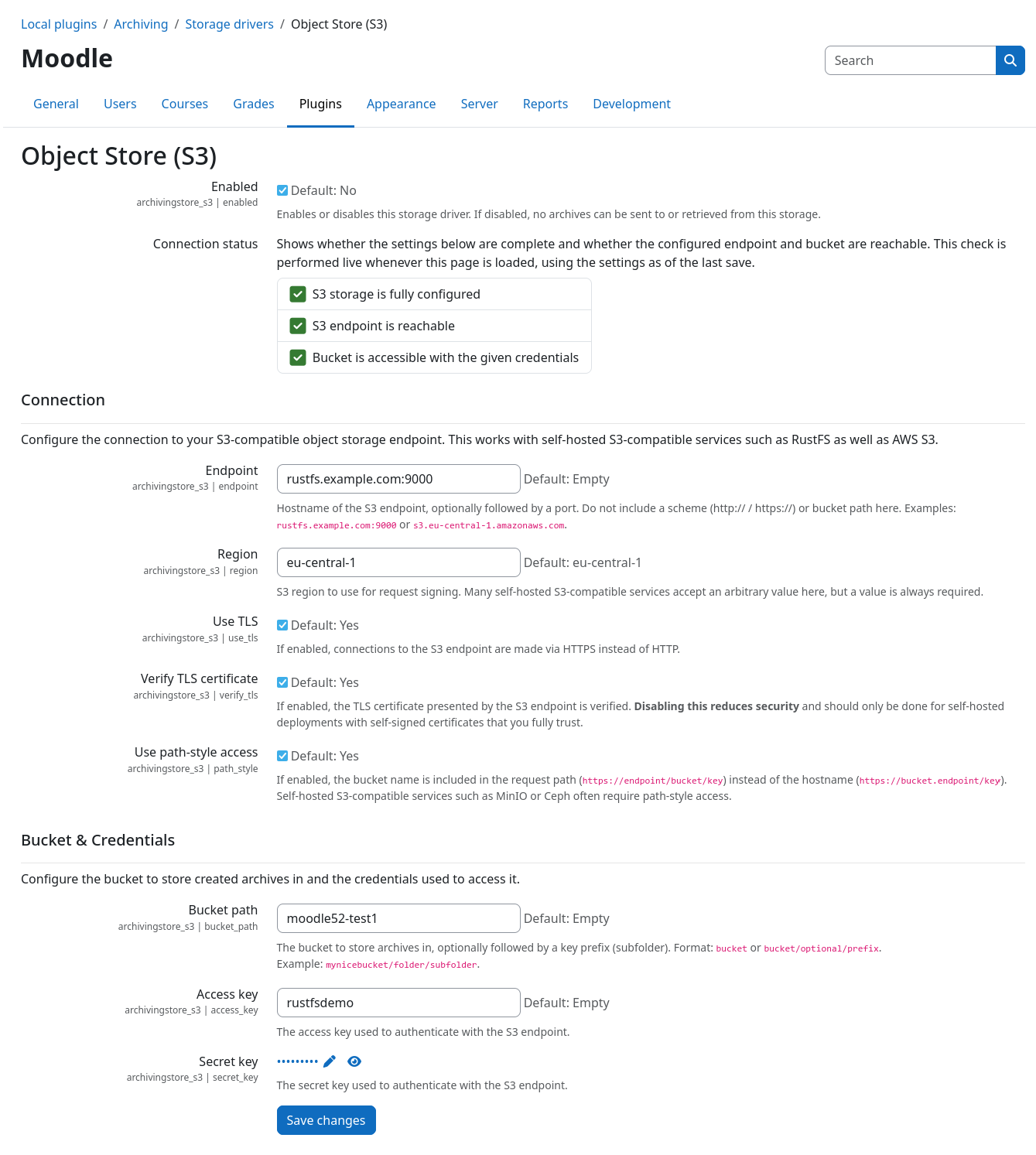
Storage
|
Various storage solutions are supported out of the box
file_download Local files are directly accessible
cloud_download Remote files are fetched asynchronously and cached
shield_locked Allows connection of WORM storage
|
|
Permissions
Custom capabilities let you control who can work with archives and how
| Capability | Allows you to … | Default roles |
|---|---|---|
local/archiving:view | View and download archives | Teacher, Editing teacher, Manager |
local/archiving:create | Create archive jobs | Editing teacher, Manager |
local/archiving:delete | Delete archives | Nobody (Admins only) |
local/archiving:bypasscourserestrictions | Archive outside of allowed categories | Nobody (Admins only) |
shield Archives must not disappear accidentally – deletion is denied by default
Archiving Subsystem
Architecture
One core, many pluggable components
The Archiving Subsystem


Sub-plugin types
Every component is a sub-plugin, allowing for easy extension!
| Type | Purpose | Shipped implementations |
|---|---|---|
school archivingmod |
Activity archiving drivers: Extract and render activity data |
Quiz, Assignment |
database archivingstore |
Storage drivers: Store, retrieve, and delete archives |
Moodle, Local directory, S3 object store |
bolt archivingtrigger |
Archiving triggers: Decide when to create archive jobs |
Manual, Scheduled, Event-based |
hub archivingevent |
External event connectors: Notify third-party systems |
Flexible API |
External services
A variety of external systems can interact with the Archiving Subsystem


The Moodle Archiving Worker
Handles the heavy lifting for both quizzes and assignments
|
screenshot_monitor
Archived exactly as seen in the browser
chevron_right Headless browser renders exactly what users saw (MathJax, STACK, GeoGebra, JSXGraph, …)
deployed_code
Rendering happens outside of Moodle
chevron_right No stress on Moodle, no blocked web requests, no PHP timeouts
speed
Asynchronous and parallel
chevron_right Archives are created in parallel and in the background
key
Security by design / Least privilege
chevron_right Short-lived web service tokens, scoped to a single task
package_2
Ready-to-use Docker image
chevron_right Docker Hub:
ngandrass/moodle-archiving-worker |
Back to 2029 ...
... but now with the Archiving Subsystem
Getting Started
Interested? Here's how to try it yourself!
Quickstart
|
counter_1 Install the plugin
local_archiving
chevron_right Supports Moodle 4.5 – 5.3, PHP 8.1 – 8.4
chevron_right All sub-plugins are bundled
counter_2 Spin up an archive worker
chevron_right
docker run ngandrass/moodle-archiving-workerchevron_right Or use the public demo worker for testing
counter_3 Archive!
|
 Full documentation: https://archiving.gandrass.de |
Open source & community driven
Test and give feedbackFound a bug or have an idea? Let us know! Build sub-pluginsNew activities, storage systems, triggers, ... Join the discussionMatrix: |

|
What's next?
Q&A Session
Now it's time for your questions!

You can find all slides of this talk at
globe https://gandrass.de